How to Convert PDF to DST for Embroidery: Step-by-Step
A PDF is useful for sharing logos, artwork, and design files. But if you want to use that artwork on an embroidery machine, a PDF alone is not enough. The file must be prepared as a DST embroidery file so the machine can read stitch instructions.
This guide explains how to convert pdf to dst, what the process really means, and how to get better embroidery results from your PDF artwork.
Key Takeaways
- A PDF is usually a design or document file, not an embroidery file.
- A DST file tells an embroidery machine how to stitch the design.
- You cannot create a real DST file by simply renaming a PDF.
- PDF artwork must be digitized into stitch paths.
- Clean vector PDFs usually give better results than scanned or blurry PDFs.
Can You Convert PDF to DST?
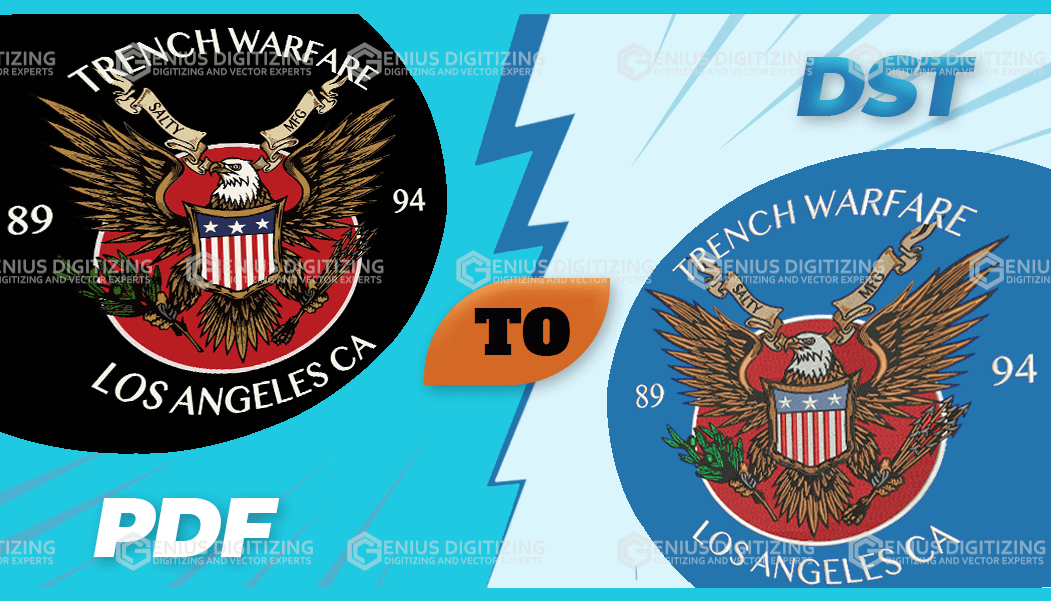
Yes, you can turn PDF artwork into a DST embroidery file, but it must be digitized first. A PDF shows the design, while a DST file tells the embroidery machine where to stitch, when to trim, and how to move. This process is called embroidery digitizing.
What Is a PDF File?
A PDF is a common file format used to share documents, logos, artwork, and print designs. Many businesses send their logo in PDF format because it keeps the layout stable and easy to view.
A PDF can contain different types of artwork. Some PDFs include clean vector shapes. Others may contain scanned images, screenshots, or low-quality graphics.
This matters because embroidery quality depends heavily on the source file. A clean logo PDF is easier to digitize than a blurry scanned document.
What Is a DST File?
A DST file is an embroidery machine file format. It is commonly used by commercial embroidery machines. Unlike a PDF, it does not simply show a design on screen. It contains stitch movement data that guides the embroidery machine.
A DST file tells the machine:
- Where to place stitches
- How the needle should move
- When to jump between design areas
- When to trim thread
- When to stop for thread changes
In simple words, a PDF shows what the design looks like. A DST file tells the machine how to sew it.
Why Can’t You Use a PDF Directly for Embroidery?
You cannot use a PDF directly because embroidery machines do not stitch documents or normal artwork files. They need machine-readable stitch instructions.
Even if your PDF contains a perfect logo, the embroidery machine still does not know the stitch type, stitch direction, stitch density, thread order, or trim points.
That is why pdf to dst conversion is not a normal file conversion. It is an embroidery digitizing process. The artwork must be rebuilt as a stitch plan that works on real fabric.
When Should You Convert a PDF Into DST?
You should convert your PDF into DST when you want the design stitched on fabric using a DST-compatible embroidery machine. This is common for:
- Company logos
- Work uniforms
- School badges
- Sports team apparel
- Caps and hats
- Jackets
- Bags
- Patches
- Promotional items
It is best to prepare the DST file before production begins. This gives you time to check the design size, thread colors, fabric type, and stitch quality.
Where Can You Convert PDF Artwork Into DST?
You can use embroidery digitizing software or a professional digitizing service.
Software may work if you understand embroidery settings and machine formats. However, many beginners think the software will automatically create a perfect file. That is not always true.
Automatic tools can struggle with small text, thin lines, gradients, shadows, and complex logos. A trained digitizer can review the PDF and decide how the design should be stitched.
For logos, uniforms, caps, patches, and bulk orders, professional digitizing is usually the safer option.
Why Online "PDF to DST Converter" Tools Fail
Many people search for a free online PDF to DST converter expecting an instant file transformation. However, automated converter software usually fails because embroidery machines do not print ink—they sew thread into real fabric.
An automated converter cannot:
- Determine proper stitch density or stitch types (satin vs. tatami fill).
- Account for fabric pull, push, and stretch.
- Add underlay stitches to stabilize the design.
- Place clean thread trims and jump codes.
Attempting to stitch an automatically converted file often leads to thread breaks, fabric puckering, and misaligned logos. To get a clean result, especially when converting a vector PDF to DST, the file must be digitized manually by a trained professional.
Who Needs a DST File From a PDF?
A DST file is useful for anyone who has artwork in PDF format and wants it embroidered. This may include:
|
User Type |
Common Need |
|
Small businesses |
Embroidered uniforms and branded shirts |
|
Schools |
Badges, patches, and sportswear |
|
Clothing brands |
Custom apparel and logo embroidery |
|
Embroidery shops |
Machine-ready customer files |
|
Event companies |
Promotional caps, bags, and apparel |
|
Designers |
Production-ready embroidery artwork |
If the design will only be printed or shared online, a PDF may be enough. But if the design must be stitched, you need an embroidery file.
How Does PDF to DST Conversion Work?
The process starts by checking the PDF artwork. The digitizer looks at the design quality, shapes, text, colors, and final embroidery size.
Then the design is rebuilt as stitch areas. Each part of the artwork is assigned a stitch type and sewing order.
The process usually looks like this:
- Review the PDF artwork.
- Check whether the file is vector or scanned.
- Confirm the final embroidery size.
- Confirm the fabric type and placement area.
- Trace the design into stitch sections.
- Choose stitch types for text, borders, and filled areas.
- Set stitch direction and density.
- Add trims, jumps, and stops.
- Save the final file in DST format.
- Review or test the file before production.
This is the proper way to convert pdf to dst for real embroidery use.
What Type of PDF Gives the Best Result?
A clean vector PDF usually gives the best result. Vector artwork has sharp lines and shapes, so it is easier to trace and prepare for embroidery.
A scanned PDF can still be used, but it may need cleanup first. If the design is blurry, faded, tilted, or low-resolution, the digitizer may need to redraw parts of it.
Here is a simple comparison:
|
PDF Quality |
Digitizing Result |
|
Clean vector logo |
Best starting point |
|
High-resolution PDF image |
Usually workable |
|
Scanned paper document |
May need cleanup |
|
Blurry screenshot inside PDF |
Poor starting point |
|
PDF with tiny text |
May need simplification |
The clearer your PDF is, the better your final embroidery file can be.
What Mistakes Should You Avoid?
- Do not rename a PDF file as a DST file. That does not create embroidery data.
- Do not assume every PDF is high quality. Some PDFs only contain low-quality images. They may look acceptable on screen but still be poor for embroidery.
- Do not ignore the final size. A design that works at 6 inches wide may not work at 2 inches wide. Small text and tiny details may need to be simplified.
- Do not skip fabric details. A design for a polo shirt may need different settings than a design for a cap, towel, fleece jacket, or patch.
And most importantly, do not skip a test sew-out for important orders.
Quick Checklist Before Ordering a DST File
Before sending your PDF for digitizing, prepare these details:
- PDF artwork file
- Final embroidery size
- Fabric type
- Placement area
- Thread color preference
- Machine format needed
- Any special instructions
- Deadline or production date
These details help the digitizer create a cleaner and more useful embroidery file.
Final Thoughts
A PDF can be a strong starting point for embroidery, especially if it contains clean logo artwork. But a PDF is not machine-ready by itself. It must be digitized into a DST file before an embroidery machine can stitch it.
At Genius Digitizing, we help businesses, embroidery shops, clothing brands, and creators across the USA turn PDF artwork into clean, affordable, machine-ready DST embroidery files. Our focus is to prepare files that are practical for real stitching, not just good-looking previews.
Good digitizing can reduce production mistakes, improve stitch quality, and help your final embroidery look sharp, clean, and professional.
Frequently Asked Questions (FAQs)
Can I convert a PDF to DST online?
Yes, but the PDF must be digitized into stitch instructions. Online tools may help with simple designs, but professional digitizing is usually better for logos, uniforms, caps, and customer orders.
Is PDF better than JPG for embroidery digitizing?
A vector PDF is often better than a JPG because it has cleaner shapes and sharper edges. However, a scanned PDF may not be better than a clear high-resolution image.
Can a scanned PDF be turned into a DST file?
Yes, but it may need cleanup or redrawing first. If the scan is blurry or low quality, the final embroidery result may suffer.
Why does the DST file look different from the PDF?
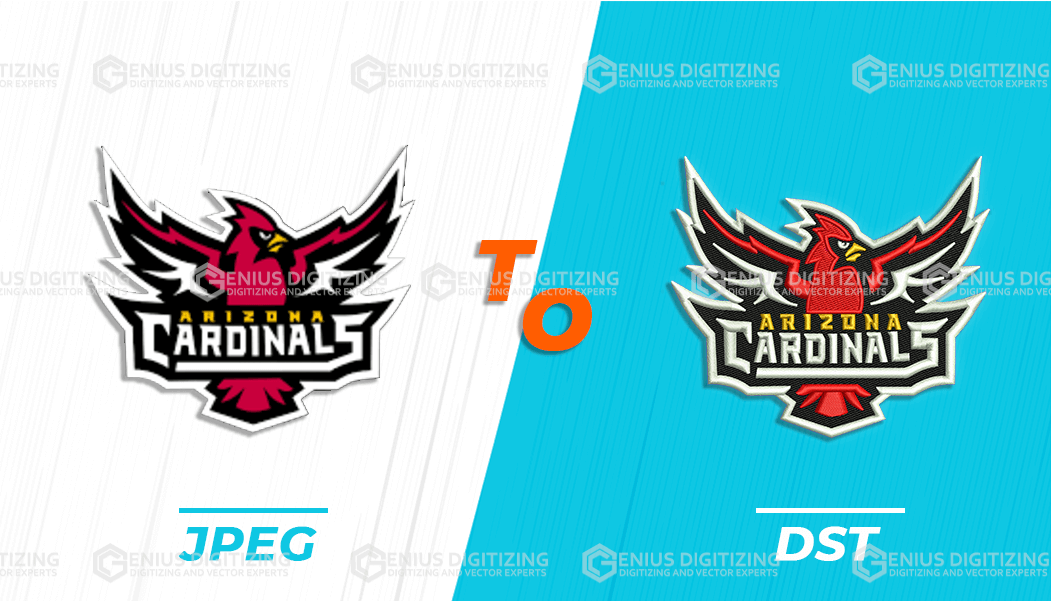
Embroidery uses thread, not ink or pixels. Thin lines, shadows, gradients, and very small details may need to be adjusted so the design can stitch properly.
Do DST files include thread colors?
DST files usually focus on stitch movement. They may include color stops, but they may not carry full thread color details. It is best to keep a thread color guide with the file.
Can I use a free online PDF to DST converter?
Automated online converters generally do not work well for embroidery. They cannot calculate fabric stretch, thread tension, or stitch directions, which often leads to thread breaks and bad embroidery quality.